The 10 Most Important Things Road To Vostok Doesn't Tell You
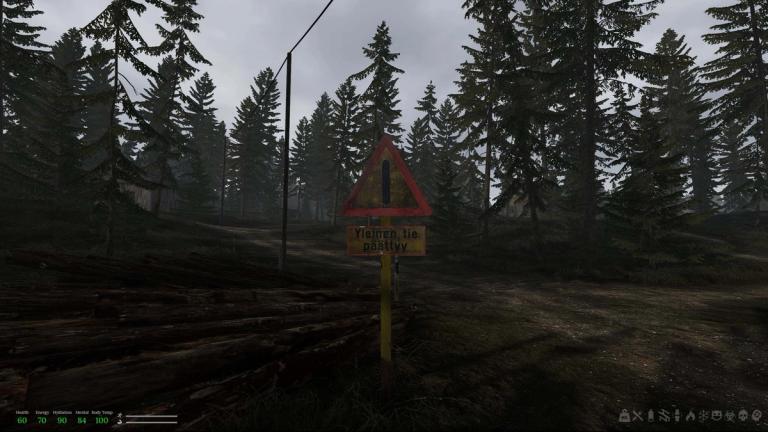
Road To Vostok is an intentionally opaque game. You need to sometimes fight it to learn even the basics, and the text-only tutorial definitely feels like a temporary solution for the Early Access phase.
Road To Vostok: How To Find The First NPCs
But that is also one of its best parts. There is no hand-holding here, if anything, the game is actively slapping your hand away as you try to play it. It isn’t as hard as it appears, though, especially once you invest some time into it. To make that easier for you, we compiled the 10 most important things Road To Vostok doesn’t tell you.
This list is a mix of my own experience and the very useful input from some of the folks on r/RoadtoVostokGame. Check the thread out if you have any recommendations!
How To Load The Mosin And Shotguns
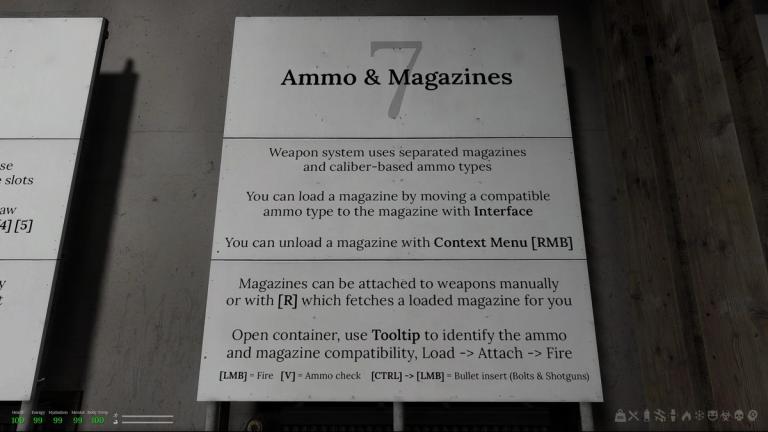
Reloading is relatively simple in Road To Vostok, especially if you come from similar titles. You need to carry magazines which you previously loaded with the correct ammunition, but beyond that, simply press R and you’re ready to go, right?
Yes, but with some notable exceptions. Bolt action rifles and shotguns do not have magazines, so if you press R to reload while wielding one of these guns nothing will happen. Instead, you need to do what the game calls a “Bullet Insert”. While this is briefly explained in the tutorial, it is a literal footnote in one of the big white boards.
To reload a Mosin or a Shotgun, simply follow these steps:
- Make sure you have the correct ammunition in your inventory.
- Press CTRL while holding the gun. Your character will prepare to load the bullets.
- Press LMB for each bullet you want to insert. For the Mosin, you can load 6 bullets, for the RM-870, 8.
- Press CTRL when you’re done.
Checking Ammo Leaves Your Weapon Raised
Given the fact that every ammunition is counted and, especially early on, you won’t have a ton of access to either bullets or magazines, you’ll spend a lot more time checking your ammunition count than reloading.
To do this, you simply press V, and you’ll know how many bullets you have left. What Road To Vostok doesn’t tell you is that doing so automatically raises your gun and leaves it in that position.
You can manually raise your weapon for quicker ADS and to hipfire (in fact, you can only hipfire if you have your gun raised!), but while in that position you will be slowly losing Arm Stamina (the bar above your general stamina). If you run out, you will start swaying all over the place, so be sure to manually lower your gun (Mouse Wheel Down) after checking your ammo.
You Can Store Items By Physically Placing Them In Your Shelter
Before you actually reach Vostok— which is permadeath everywhere, erasing all your progression and your shelters—, everything that is inside your shelter(s) is safe, not just what is inside the containers.
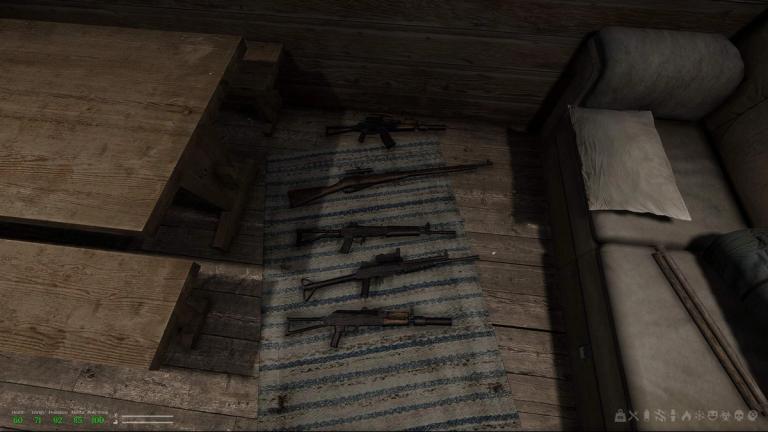
While Road To Vostok gives you some containers by default inside your Cabin, they’ll get filled up pretty quickly. An easy way to save space is to store big items (guns, mattress, lumber, clothes) by physically placing them somewhere inside your cabin.
To do so, while inside your Shelter, right click on an item and select “Place”. Now move it around and place it wherever you want. As an example, I have all my guns laying on the ground between the table and the sofa. Easily accessibly, albeit not too tidy.
All Health Conditions Reduce Your HP (Except Overweight)
If you come from similar hardcore games like Stalker and Escape From Tarkov, you’ll be well aware that injuries like bleeds or even dehydration will eat away at your HP.
But Road To Vostok takes that to another level. Every negative health condition with the exception of being over-encumbered reduces your HP until you fix it. That includes even ones you wouldn’t expect, like Fractures. You can check their exact effects by hovering over the icons in your equipment screen, and what items you need to fix them.
You Need To Manually Remove Task Notes
One of the best QOL additions between the demo and Early Access was the option to keep track of Tasks by adding them to your Task Notes. This way, you can always check which items you need for each NPC.
What Road To Vostok doesn’t tell you is that these remain even after you complete them. So once you finish a Task, be sure to manually remove them from your Notes to prevent unnecessary clutter.
Road To Vostok: Best Early Game Loot Route
Bandits Have The Eyes Of An Eagle, But Are Nearly Deaf
For some reason, Bandits in this area of Finland have exceptional eye sight. These guys will spot you from KMs away through twelve different thick bushes. But, they aren’t perfect, their hearing isn’t what it used to, likely due to ridiculously loud jets that occasionally fly by.
So use this information wisely. Our recommendation is the following:
- If you are out in the open, run. Chances are you will always be spotted before you spot your enemies, and that way you can run to cover quickly before being ready to shoot back.
- When inside buildings or in areas with poor visibility (and we mean physical objects, Bandits can see you clearly through bushes), walk and be careful with your corners. Lean-peeking every division in a house is a good habit to create.
Do Not Use Items While Searching A Container
While you can use items (including food and meds) and walk, this is only the case if you’re not rummaging through a container. You might’ve found a juice inside a Box and drank it, only to find out that you were locked in your interface until the drinking was over.
This is only the case if you leave the container window open. You can loot the item first (CTRL+LMB or drag), close the container window, open your inventory, and now you can drink and walk! This seems to work for every interaction except loading your weapons or magazines.
You Don’t Need To Be In A Shelter To Sleep
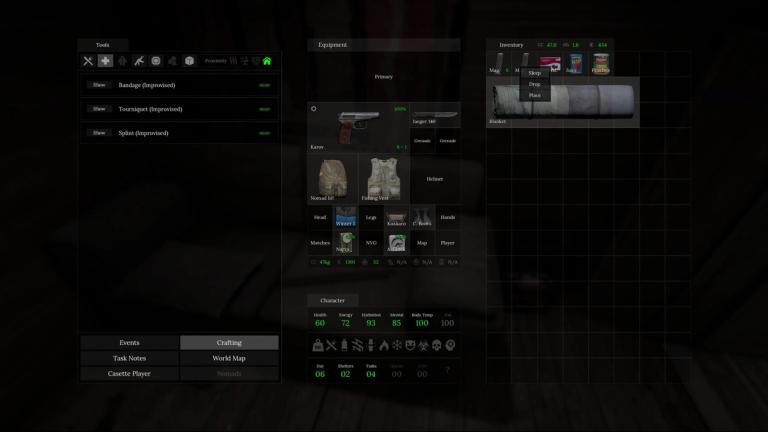
If you’ve tried to walk outside during nighttime you know how impossibly dark it is. Things become slightly visible as morning approaches, but anywhere between 8pm and midnight is close to pitch-black darkness.
The best way to speed-up time passage in Road To Vostok is sleeping, but you might find yourself too far away from a Shelter and lost in the middle of the night. Fret not, though, because you don’t need to be inside a Shelter to sleep. There are multiple items that let you sleep anywhere you wish:
- Pillow
- Sleeping Bag
- Melatonin
- Blanket
- Mattress
- More? (let us know if we missed any)
Be warned, though, we’re not sure how safe this is. We’ve slept multiple times outside and have never been woken up by a Bandit shooting at us, but that might be possible. We haven’t tried this during the Winter, either.
You Can Loot More Than Guns Off Of Bandits
Unlike in most other similar titles, enemies in Road To Vostok don’t have all their items shoved inside their inventory. You might’ve noticed that the guns that Bandits use to shoot you are not inside their body container when you open it. You have to loot them off of their hands.
But did you know that the same can happen with other equipment? Bandits can sometimes have Backpacks and, according to the aforementioned Reddit thread, you can loot pieces of clothing too.
Save Your Mental Restoration Items
Besides the usual survival metrics: hunger, thirst, temperature (which only applies during the Winter, as far as we understand), Road To Vostok has a fourth one, Mental. It decreases over time and even more so if you eat raw food (like Potatoes) or other consumables.
You can recover it consuming specific items, like Cigs or Snus, but you should keep those for times when you really need them. You can also easily recover Mental by sleeping or by standing near a fire. Easy and free.
Want to be the best? Upgrade your gaming setup
If you’re looking to upgrade your gaming setup, here are some of our top gear picks that combine performance, reliability, and great value:


As an Amazon Associate, we earn from qualifying purchases.