Subnautica 2: How to replace and recharge Batteries

Batteries are one of the most important resources in Subnautica 2. After spending several hours exploring caves, scanning creatures, and using tools like the Wakemaker and Sonic Resonator, I realized managing power properly saves a lot of crafting materials early in the game.
Here is everything you need to know about replacing and recharging Batteries in Subnautica 2.
How to replace Batteries in Subnautica 2
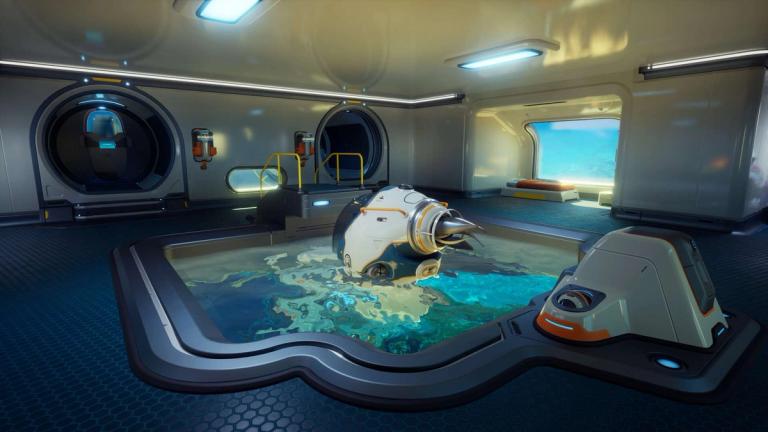
Most handheld tools in Subnautica 2 use Batteries. This includes the Scanner, Flashlight, Sonic Resonator, and Wakemaker. When the Battery bar starts turning red, you can manually replace the Battery instead of waiting for the tool to fully die.
To replace a Battery:
- Equip the tool you want to recharge.
- Press R on PC.
- Select another Battery from your inventory.
The replacement Battery must already be inside your inventory. You can swap Batteries anytime, even if the current one still has charge left.
From my experience, carrying at least two extra Batteries before entering deeper biomes makes exploration much easier, especially when using power-hungry tools for long periods.

Subnautica 2: All Angel Comb Adaptation locations
How to unlock the Battery Terminal
The Battery Terminal is the main station used for recharging depleted Batteries. It stores up to six Batteries at once and slowly restores their power using your base energy supply.
Before crafting it, you need to scan two Battery Terminals using the Scanner.
Both fragments are found inside the Old Habitat area. One is located on the same flooded floor as the Quaker Blackbox Signal. The second one is inside a ground-floor room near the long hallway connecting both sides of the habitat.
If you are progressing normally through the story, you will naturally reach this location fairly early.
Battery Terminal crafting recipe
After unlocking the blueprint, use the Habitat Builder to craft the Battery Terminal with the following materials:
- 2x Quartz
- 1x Copper Wire
- 2x Titanium
Copper Wire itself requires:
- 2x Copper
These materials are easy to gather around the starting regions, so building the terminal early is worth it.
Once placed on a wall or corridor section, insert depleted Batteries into the terminal and let it recharge them over time.
How to recharge Power Cells in Subnautica 2

Vehicles like the Tadpole use Power Cells instead of regular Batteries. These can also be removed and recharged separately.
To recharge Power Cells, you need the Power Cell Terminal.
The crafting recipe requires:
- 3x Copper
- 1x Wiring Kit
- 3x Titanium
Unlike the normal Battery Terminal, the Power Cell Terminal consumes a noticeable amount of base power while operating.

Subnautica 2 Roadmap
FAQs
Can you recharge Batteries in Subnautica 2?
- Yes. You can recharge depleted Batteries using the Battery Terminal inside your base.
Where do you find the Battery Terminal blueprint in Subnautica 2?
- You unlock it by scanning two Battery Terminals inside the Old Habitat area.
How do you swap Batteries for tools?
- Equip the tool, press R on PC, and choose another Battery from your inventory.
Does the Battery Terminal use base power?
- Yes. The terminal recharges Batteries using your base's power supply.
Can you recharge vehicle Power Cells?
- Yes. Power Cells can be recharged using the Power Cell Terminal.
Want to be the best? Upgrade your gaming setup
If you’re looking to upgrade your gaming setup, here are some of our top gear picks that combine performance, reliability, and great value:



As an Amazon Associate, we earn from qualifying purchases.