Battlefield 6: All known issues and errors
BLAST.tv
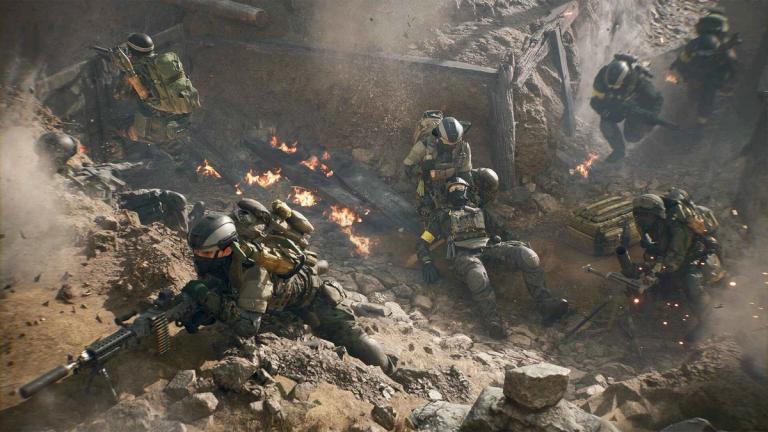
Battlefield 6 has landed, and like most big releases, it's brought a bunch of bugs and glitches along with it. If you’ve been running into weird stuff or just want to know what’s going on, here’s a full breakdown of all the known problems across different parts of the game.
These are the issues players have been facing, and some of them are already being worked on by the devs.
All known issues and errors in Battlefield 6
General gameplay issues
- Sometimes when you jump from a distance, your character might bounce off objects instead of vaulting over them.
- Accepting a multiplayer invite while you're in Campaign mode might not send you to the lobby or match.
- Weapon Mastery Badges can look grayed out on the loadout screen, even if you’re making progress.
Also Read: Battlefield 6 Settings - Best Optimization
Weapons
- Some weapons won’t reload if you try to reload right after shooting.
- There's a missing camera shake when aiming with certain weapons.
- Weapon sway may stop working after exiting a vehicle.
- At 4K resolution, crosshairs might scale incorrectly.
- During reload, some scopes might look detached from the gun.
Gadgets
- EOD Bot can get stuck if you place it on a Supply Crate.
- Defibrillators sometimes don’t register properly after recent changes.
Vehicles
- R-84V2 and AIM-84 air-to-air missiles have been temporarily disabled due to issues.
UI and HUD problems
- If you join a match halfway through, the game mode info at the top of the screen might not update.
- HUD might be missing in certain 16:10 aspect ratios.
- Some buttons like “Inbox” or “Takeover” screens can show a “Purchase Failed” message even when nothing’s wrong.
- Command Console isn’t available right now.
- The “Highly Trained” Dog Tag shows the wrong type of tag.
- On PS5 and Xbox, if you press “Continue” in Campaign with no add-ons, the game might crash.
Campaign issues
- If you fail a challenge in one mission, it might not track in later ones unless you restart the mission.
- Teammates might get stuck or your character might clip into objects during levels.
- There’s screen tearing in Campaign on PC unless you turn on V-Sync.
- Low graphical settings may cause visual bugs.
- In Windowed Mode on PC, sometimes clicking outside the game can cause it to act up.
- Shader stutter happens in the Prologue and some missions.
- On Mission 07: Nile Guard, a cinematic can mess with your camera, sending it through the map.
- VFX glitches might pop up at 120Hz refresh rate.
Maps and game modes
- On the Rush version of Empire State, all sectors might show as active right away.
- The Halftime screen in Strikepoint mode can sometimes be blank.
- In Escalation mode, the minimap might not properly show combat areas.
Cosmetics and character visuals
- Faction and Class patches may be missing from some skins.
- The “Copperpulse” skin looks too similar to “Evergreen.”
- “System Override” skin appears overly bright and will be adjusted.
- The “Sunstroke” skin uses the wrong camo, and the “Bramble” one has texture issues.
- Custom patches can override the default faction or class patches.
Settings and performance
- On RTX 5080 cards, graphics may default to Low even at high resolutions.
- Certain aspect ratios may cause see-through edges or resolution problems.
- If you played on release day, your deadzone value on PC might be set too high at 22%—switch to 8% manually.
- On consoles, Performance Mode may not fully apply unless you toggle it off and on again.
Portal mode problems
- You can't host a Portal experience if your server description has special characters.
- On PS5, starting a Portal server without some content packs can cause a crash.
- In the “My Experiences” tab, the bottom row might be unscrollable.
Challenges and progression issues
- Some stats are being tracked incorrectly from Portal custom games.
- Helicopters aren’t always counted in Vehicle Challenge 1.
- The Land Vehicle Expert assignment wrongly counts helicopters as ground vehicles.
- Challenge for “Use Vehicle Supply Crate” may not progress.
- Challenge to “Repair Vehicles” might not show updates even when you're repairing.
- Challenge to “Resupply teammates with the Supply Pouch” may not track correctly.
- The Weapon Expert Unit Challenge asks for 15 long-shot kills in one match, not just one of each weapon type.
Video and visual bugs
- On PC, you may stutter in the intro splash screen.
- If you quickly switch from third-person to first-person view in a vehicle, it might trigger photosensitivity concerns.
Connection and launching errors
- “Can’t connect to EA servers” shows up for some players.
- “An undefined error occurred” might appear randomly.
- The game doesn’t launch on Steam for some users.
- Some players on PS5 say the game isn’t working at all.
- Multiplayer says it’s not owned when launching through the EA App.
- Pre-order and Deluxe Edition bonuses sometimes trigger a “Content pack not owned” error.
Also Read: Best weapon and loadout in Battlefield 6
FAQs
How do I fix the “Can’t connect to EA servers” error in Battlefield 6?
- Try restarting your game and router. Also, check the EA server status online to make sure it’s not on their end.
Why won’t Battlefield 6 launch on Steam?
- Make sure your game files are verified, and update both Steam and your GPU drivers. Also try running it as an admin.
Why is the HUD missing during gameplay?
- This usually happens with 16:10 resolutions. Try changing the resolution or switch to fullscreen.
What causes the crash when pressing “Continue” in Campaign?
- If no add-ons are installed, especially on PS5 or Xbox, it might cause a crash. Installing missing add-ons or restarting the game may help.
Why don’t some challenges track properly?
- Some challenges are currently bugged or worded wrong. Restarting the mission or trying a different match type might help.
Why are air-to-air missiles disabled?
- R-84V2 and AIM-84 missiles were causing problems, so they’ve been turned off temporarily until a fix is released.
What do I do if Portal mode crashes on PS5?
- Avoid starting a Portal server if you don’t have all content packs enabled. Make sure Pack 01 and 04 are installed.
Why are my graphics settings stuck on Low?
- Some RTX cards default to Low settings even when they shouldn’t. You’ll need to change them manually in the settings menu.
Latest News
The Witcher 3 Remastered: List of all combat changesRead More
The Witcher 3 Remastered: Accessibility settings & Bard’s Ballad explainedRead More
Wardogs: Best support loadoutRead More
Wardogs: How to make money fastRead More
Onimusha Way of the Sword: List of all main and side questsRead More
List of all confirmed games for The Hunt: Roblox 20Read More