Anno 117- Optimized Settings
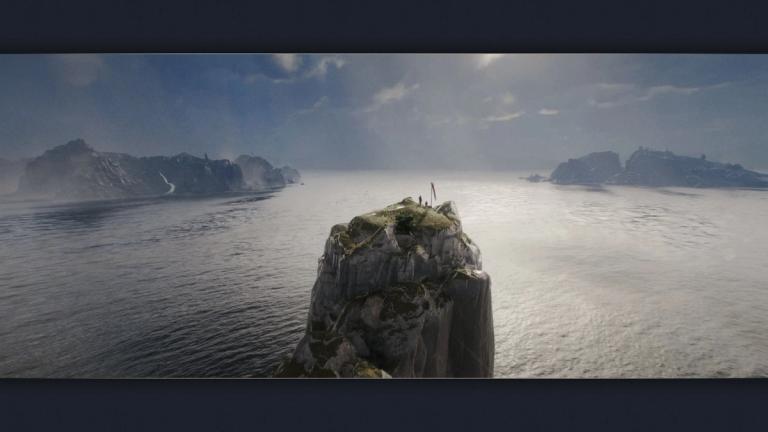
Over six years following the release of Anno 1800, the newest entry in the franchise has arrived. There are plenty of changes and improvements, with the most noticeable being graphical fidelity.
This improvement does not come cheap, though. Don't make the mistake of cranking everything up to the maximum, even if you have a beefy rig. Here are our Anno 117 optimized settings, aiming to retain as much visual quality as possible while getting you consistently above 60fps.
Anno 117 Optimized Settings
While you don't exactly need a high FPS count to play a game like Anno, keeping your performance above 60 fps will make everything look appropriately smooth. The good news is that this is very achievable in this entry, but you will need to turn down a few settings.
Firstly, forget about maximum settings on almost any rig out there if you want to maintain a consistent framerate above 60. Those settings are either future-proofing a game that is meant to last for quite a while, or to be paired up with upscaling.
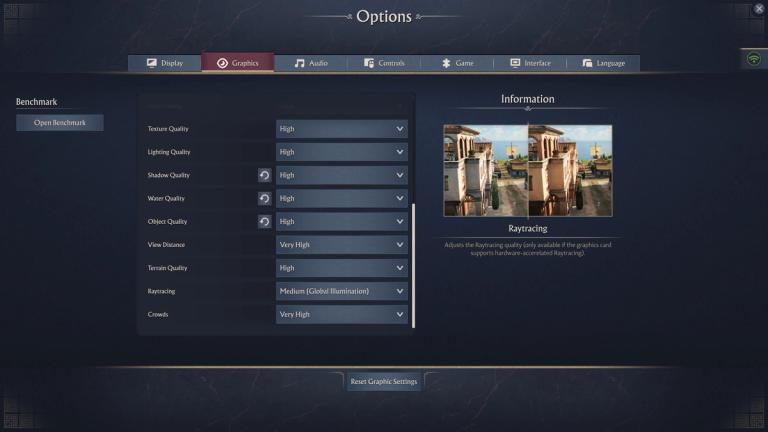
With that being said, if you have a decently powerful PC you will be fine keeping most things on high. Here are our Anno 117 optimized settings:
- Texture Quality- High
- Lighting Quality- High
- Shadow Quality- High
- Water Quality- High
- Object Quality- High
- View Distance- Very High (lower this if you are CPU-bottlenecked).
- Terrain Quality- High
- Raytracing- Medium: this is the most demanding setting in the entire game and will lower performance for around 30 to 40% if you bump it to High because it adds Ray-traced reflections on top of the Global Illumination.
- Crowds- Very High (lower this if you are CPU-bottlenecked).
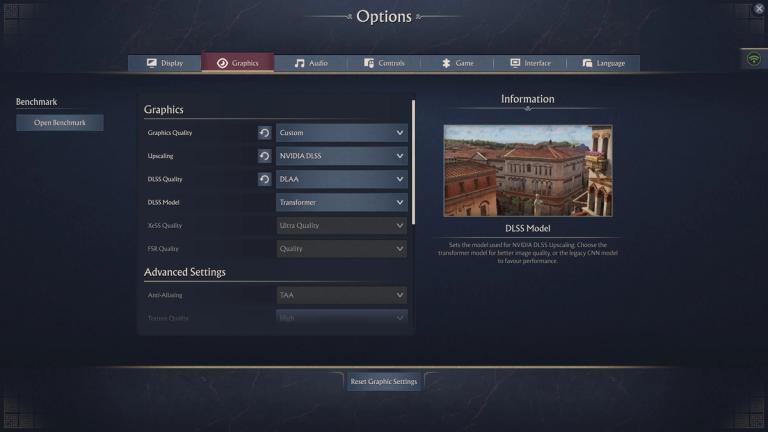
The game supports upscaling via DLSS (allowing you to choose between the Transformer and CNN Model), XeSS, and FSR. If you have a NVIDIA GPU and aren't sure which model to choose, go with the Transformer model unless you have a low-end rig. It will always look sharper, but it will be slightly less performant.
Lastly, you should cap your FPS around 60 via the in-game FPS cap, RTSS, or through your GPU's driver. Playing with unlocked FPS will cause constant dips in performance when zooming in and out, which can be minimized or completely eliminated by capping the FPS.
If you're dropping below 60 while using the settings we listed above, try lowering your upscaling quality. Going below High on most settings will have a significant visual impact.
Want to be the best? Upgrade your gaming setup
If you’re looking to upgrade your gaming setup, here are some of our top gear picks that combine performance, reliability, and great value:


As an Amazon Associate we earn from qualifying purchases.