Kiileerrz Rocket League controls and camera settings
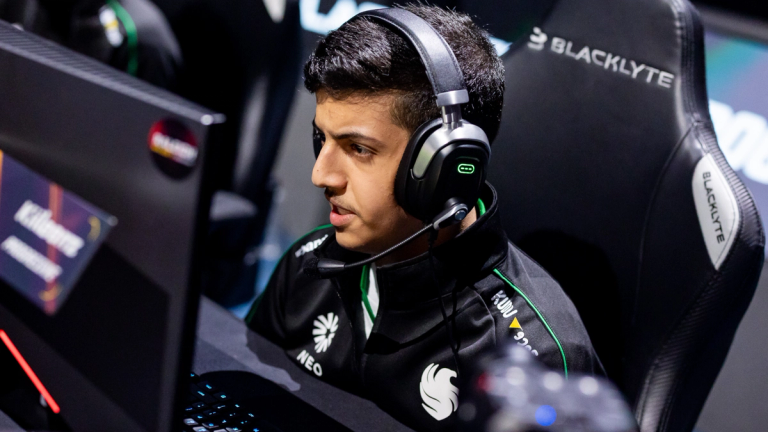
Check out Kiileerrz's player page with all his stats and settings here !
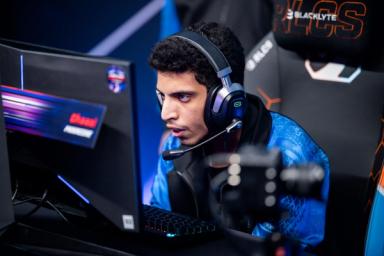
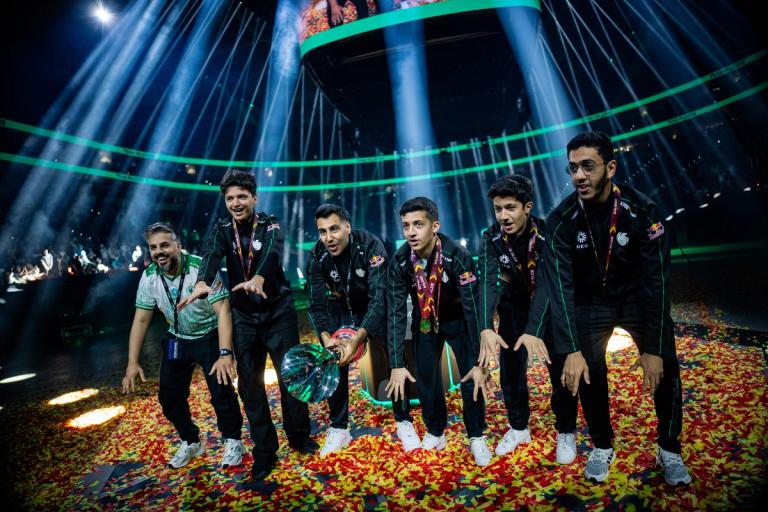
Yazeed Abdullah "Kiileerrz" Bakhashwin has just made history at the RLCS 2025 Raleigh Major as a member of Team Falcons, the first non-NA/EU team to ever win an RLCS LAN.
The current Team Falcons trio had come close to this milestone once before with a 2nd-place finish at the RLCS 2024 London Major.
For quite some time now, most fans have had Team Falcons as the most likely squad to reach this massive achievement on behalf of the RLCS' "minor" regions.
Needless to say, the applause from the community, both online and in person, as they lifted the trophy in Raleigh was deafening.
With the winds of victory at their back, Kiileerrz himself expressed confidence that Team Falcons can carry this momentum and take home another trophy at the RLCS 2025 World Championship.
Kiileerrz's Rocket League camera settings
Kiileerrz's choice of camera settings is mostly standard for pro and other high-level players.
The only somewhat unusual aspect is how far above his car Kiileerrz has positioned his camera. With a Camera Distance of 270 and a Camera Angle of -5, his viewpoint is high enough to be disorienting for some players.
Kiileerrz's Camera Angle of -5 is higher off the ground than most and ideal for visibility beyond the ball. Combined with a Camera Distance of 270, that's a lot of additional visibility.
So much so that the camera may even appear to have a bit of a fisheye effect. This can make hitting the ball difficult to calculate for anyone switching from very different settings.
- Camera Shake: No
- Field of View (FOV): 110
- Height: 100
- Angle: -5
- Distance: 270
- Stiffness: 0.40
- Swivel Speed: 10.00
- Transition Speed: 1.50
- Ball Camera: Toggle
Kiileerrz's Rocket League controls
The RLCS 2025 Raleigh Major MVP's current peripherals and control bindings are, unfortunately, unknown.
However, we do have that information available for Kiileerrz's twin, Rw9, and their teammate on Team Falcons, Trk511.
All three of them have fairly similar camera settings, so it might not be too big a stretch to assume the same of their controls and peripherals of choice.
- Read more: Rw9's controls and camera settings
- Read more: Trk511's controls and camera settings
Deadzone and Sensitivity Settings
- Deadzone Shape: Circle
- Controller Deadzone: 0.09
- Dodge Deadzone: 0.20
- Aerial Sensitivity: 2.00
- Steering Sensitivity: 2.00
Joystick deadzones and sensitivity settings are something that casual players may not pay the most attention to, but can make a world of difference if you understand them and adjust them to your advantage.
It's important to note that changing your joystick's deadzone shape is not available in-game and is only possible via third-party software on PC.
Regardless of its exclusivity, changing this shape can extend the potential reach of your directional inputs, and some players swear by it. There are various in-depth explanations and guides on changing deadzone shapes on YouTube.
Controller Deadzone and Dodge Deadzone can be changed in-game, and simply affect how far you have to move your joystick for an input to be detected or for a directional dodge to be activated, respectively.
Aerial and Steering Sensitivity, which most competitive players set to above the default, can enable you to turn your car faster both on the ground and in the air.
Before you copy Kiileerrz's settings
It's important to note that controls and camera settings are the most personal things you can change to tailor your Rocket League experience and gameplay to your needs and use cases.
Simply copying another player's settings will not guarantee that you instantly rank up to SSL or win the first RLCS LAN title for your region. In fact, changing controls in general can lead to periods of worse play as you take time to adjust your muscle memory to the new layout.
That being said, Kiileerrz's settings are a fantastic template to go off of if you're looking to broaden your horizons and see the game how a pro does. Go ahead and copy them, and then slowly adjust things to your tastes as you learn what works for you.

 Team Falcons
 Spacestation
 Team FalconsTeam FalconsSpacestationTeam Falcons