Stellar Blade PC Optimized Settings
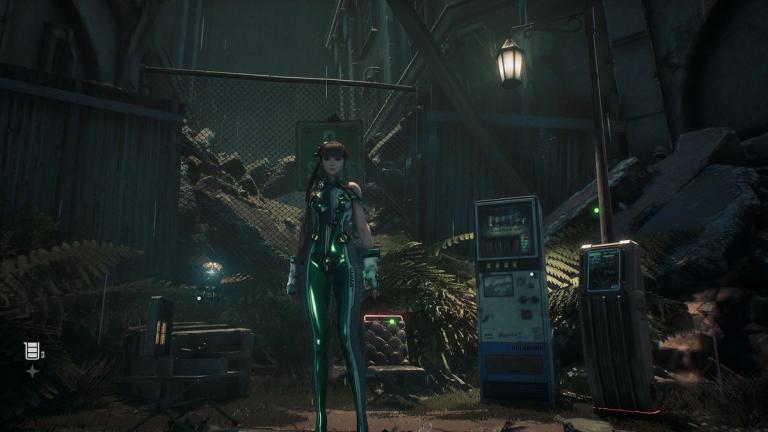
After what felt like an endless list of poor AAA PC releases, mid-2025 has been blessing us. DOOM: The Dark Ages was a very decent port, especially for how good the game looked, and as a day one release.
This one is only coming to the superior platform over a year following its original PS5 debut, but it is an excellent display of what can be achieved on even midrange machines when ports are good. Here are our Stellar Blade PC optimized settings.
Accessibility
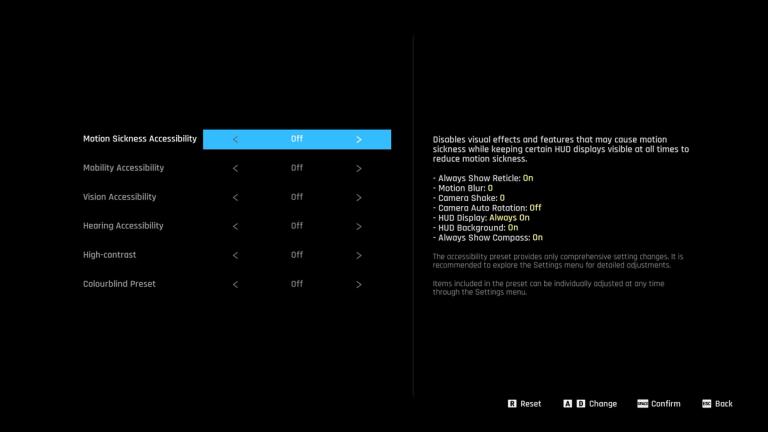
Stellar Blade has excellent accessibility options, and that's exactly what it opens with. It features four presets to help people with Motion Sickness, Mobility, Vision, and Hearing impairments. Motion Blur and Camera Shake have individual sliders from 0 to 10, so you can customize them exactly to your preferences, or remove them entirely.
On the same menu, the HUD can be considerably changed to fit your needs, there are colorblind and high-contrast options. QTEs can be automatically done by the game, you can turn on auto-loot, remove the time limit on puzzles and even prevent yourself from falling. Controls are deeply customizable for both controllers and keyboard+mouse. This is a fantastic array of choices for players and is something we really want to praise SHIFT UP Corporation for.
Display Settings
These are simple, but are all that's needed. You can choose your resolution, display mode, and target frame rate. This last one is a bit misleading, as this is actually an FPS cap. We recommend keeping it to Unlimited if you own a VRS (Freesync or GSync) display. HDR is also an option if you have a compatible monitor.
You get the option again to customize Motion Blur and Camera Shake, paired with Film Grain and Chromatic Aberration toggles.
Stellar Blade PC Optimized Settings
As we previously mentioned, this is an excellent port that is well optimized. You can genuinely stick with the preset that Stellar Blade automatically chose for you, and you'll get a good experience. But we're here for the best experience, and a few tweaks go a long way.
The game features two upscalers in DLSS 4 and FSR 3. Intel's XESS is unfortunately let out, but Intel GPU owners can still use FSR. Alternatively, you can also use TAA and customize the rendering scale for a static upscaling solution. On top of these you get Sharpness sliders for each upscaler, Frame Generation solutions for both AMD and Nvidia, and Reflex Low Latency for the latter. Frame Gen is not needed in Stellar Blade at all, though.
Below are our recommended settings, which allow us to consistently reach 144+ FPS on a RTX 3080 10GB in 1440p with DLSS Quality.
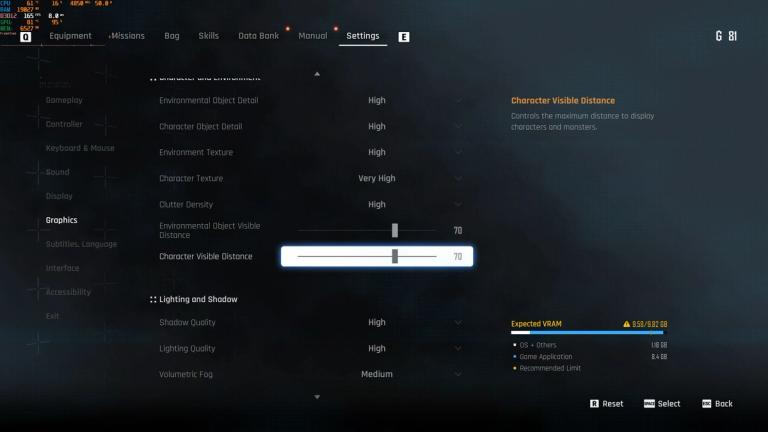
- Environmental Object Detail: High
- Character Object Detail: High
- Environment Texture: High
- Character Texture: Very High
- Clutter Density: High
- Environmental Object Visible Distance: 70
- Character Visible Distance: 70
- Shadow Quality: High
- Lighting Quality: High
- Volumetric Fog: Medium
- Particle Quality: High
- Animation Quality: High
- Ambient Occlusion: High
- Depth of Field: Very High
- Chromatic Aberration: Personal Preference
- Film Grain: Personal Preference
- Motion Blur: Personal Preference, negligible performance impact.
- Screen Space Reflection Quality: High
If you're simply aiming for 60 fps on a 3070 or above, you can crank Volumetrics up, but don't run the game at native 1440p or you might run into VRAM issues. If you're running a similar GPU but at 1080p, you can safely forego any upscaling and crank the game to max without issues.