Borderlands 4 Optimized Settings
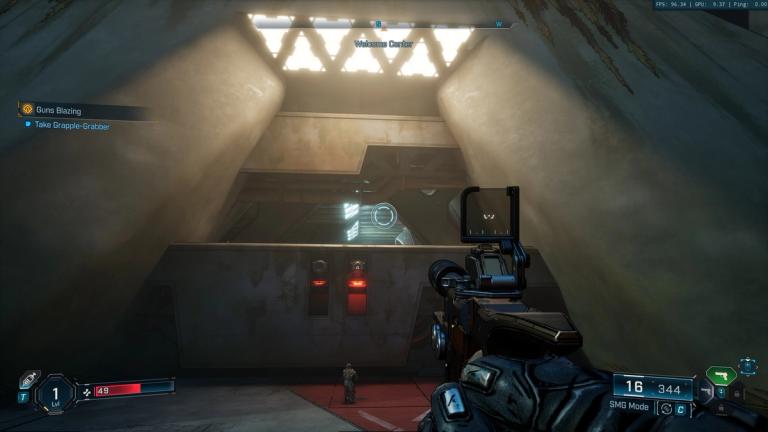
Despite being almost universally praised in reviews, Borderlands 4 is having a much rougher time when it comes to audience feedback, especially on Steam, where it has landed at a Mixed reception. This seems to be almost entirely due to performance issues which have been affecting most consumers.
You can get Borderlands 4 running well, though, especially if you accept that even when you turn a lot of settings down, the game's visuals won't be terribly impacted due to their heavily stylized nature. With all that out of the way, here are our Borderlands 4 optimized settings.
Basic Visuals
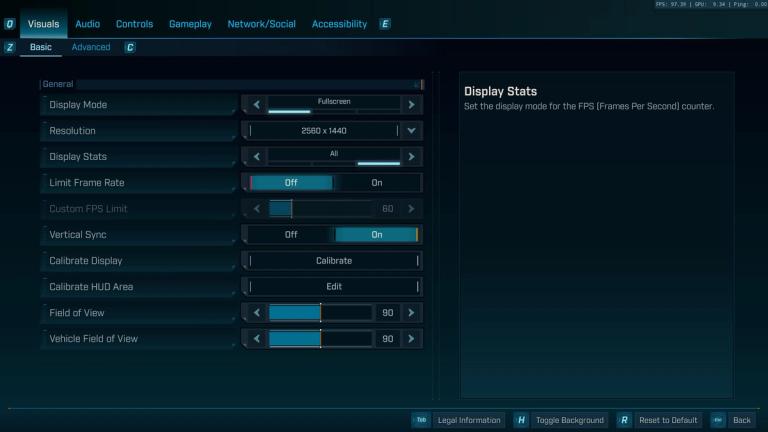
Kicking things off with the basics, you should be running the game in (dedicated) Fullscreen unless you have multiple screens and expect to be alt-tabbing frequently. This window display mode allows V-Sync and G-Sync to work to their full potential, minimizing the impact of minor drops in performance.
Resolution should obviously your screen's native one. Display stats will show you just FPS if you choose the basic option, or FPS, GPU frame times, and ping if you choose the "All" option. FOV settings come at 90 by default, which is the value we usually play games at, but you can customize them to your liking.
Advanced Visuals- Borderlands 4 Optimized Settings
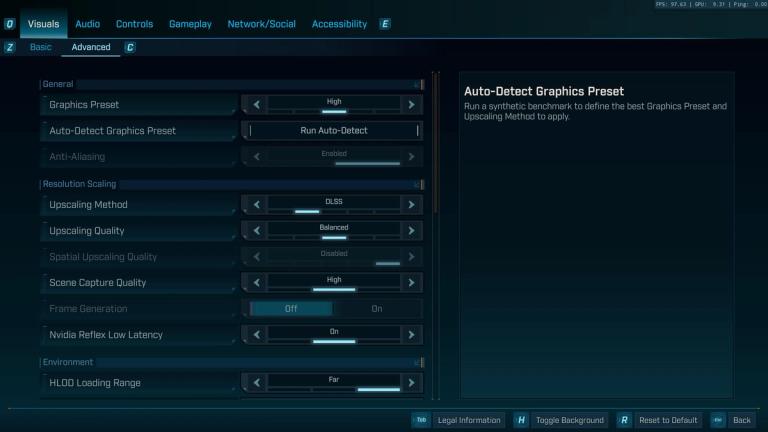
Here is the tab which will get you all your performance gains. Before we get into the bullet points, use upscaling, and choose whichever one works best for your GPU (DLSS for Nvidia, FSR for AMD, XESS for Intel, TSR is there if any of the previous ones cause you issues).
The Auto-Detect Graphics Preset left us at around 40FPS, so we would not recommend using it at all. 8GB VRAM is listed as a requirement, so any of you with 6 or less should skip the game entirely. Those of you with only 8GB should also expect to be turning settings down if you're planning on maintaining 60FPS.
RAM requirements are also quite steep, with 16GB as the minimum and 32GB recommended. Since Gearbox said Minimum Requirements are for 30 fps, do not expect to reliably hit 60 if you only have 16GB of RAM. Here are our recommended settings, tested on an RTX 3080 10GB paired with a 7800X3D and 32GB of DDR5 6000MHZ RAM:
- Upscaling Quality- Depends on your upscaler and output resolution. Balanced looks great at 1440p with DLSS 4, but it will likely look blurry with FSR or XESS.
- Scene Capture Quality- High if you have 10GB VRAM.
- Frame Generation- Use it if your GPU supports it, but make sure you are at least close to 60 FPS without it on, or you will notice considerably input lag and/or visual artifacts.
- HLOD Loading Range- Ideally Far, but you can take it down a notch if you're struggling to hit 60 with the rest of our optimized settings. Just keep in mind that the lower this setting is, the more pop-in you will notice.
- Geometry Quality- Medium.
- Texture Quality- High at 10GB VRAM.
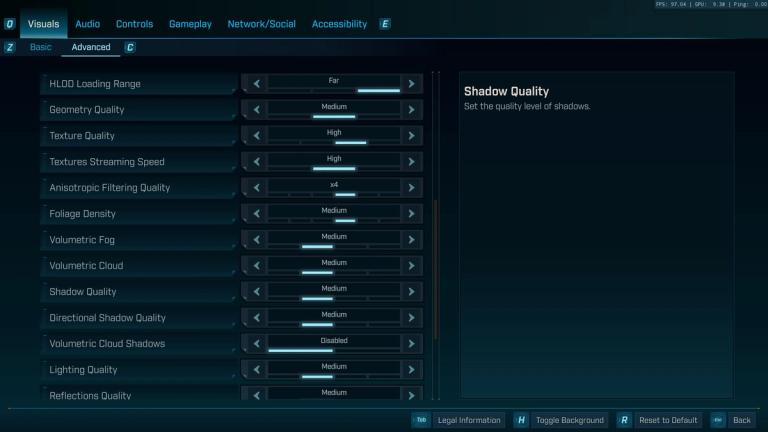
- Textures Streaming Speed- High at 10GB VRAM.
- Anisotropic Filtering Quality- 4x to play it safe, GPUs with 12GB VRAM can probably do 8x, and those with even more can crank it up to 16x.
- Foliage Density- Medium.
- Volumetric Fog- Medium.
- Volumetric Cloud- Medium.
- Shadow Quality- Medium.
- Directional Shadow Quality- Medium.
- Volumetric Cloud Shadows- Disabled.
- Lighting Quality- Medium.
- Reflections Quality- Medium.
- Shading Quality- Medium.
- Post-Process Quality- Medium.
- Motion Blur Amount- 0.0
These Borderlands 4 optimized settings won us around 40 to 60 frames, taking us from around 45FPS to comfortably above 80 at all times, frequently close to 100FPS.