Soulframe Optimized Settings
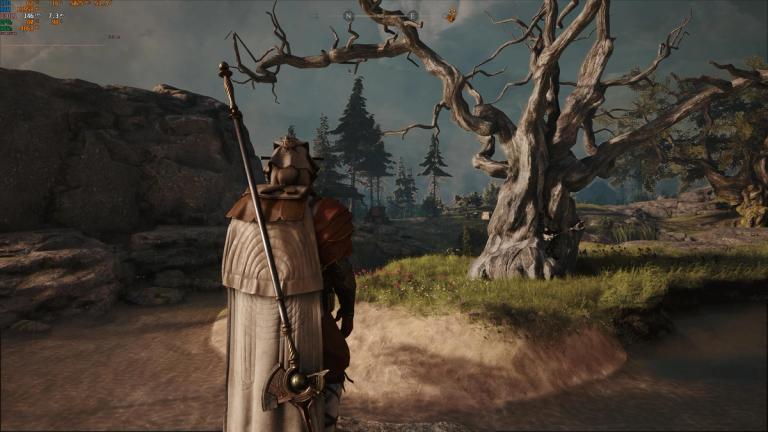
Waframe developers Digital Extremes are expanding their reach with their brand new upcoming title: Soulframe.
A weird but exciting mixture of the Warframe blueprint with the ever-present Soulslike genre, this is a game that is embracing the Early Access blueprint with a DE touch in what the company is calling Preludes.
The game is being constantly updated and is still at a very early stage, but it is already running quite well, likely due to the Warframe graphics engine having been optimized to hell and beyond.
This one does often look better than its predecessor, but that will obviously be influenced by your visual preference between fantasy and Sci-fi. Here are our Soulframe optimized settings.
Soulframe Optimized Settings
First things first, so let's get the boring parts out of the way.
We're running the game on a relatively beefy system with a RTX 3080 10GB, 32GB DDR5 6000MHZ RAM, and a 7800X3D.
Soulframe does not suffer from VRAM issues so anyone with a 20 series or onwards card with 8GB or higher will be completely fine even at 1440p.
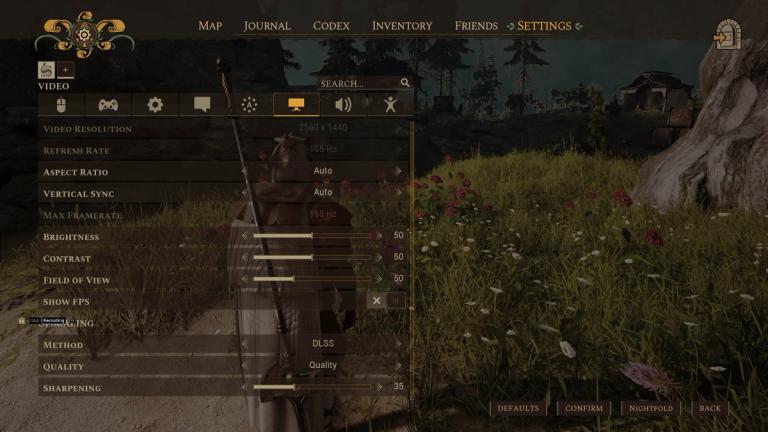
We're running the game in Borderless to make alt-tabbing smoother and we didn't notice performance differences between this setup and Exclusive Fullscreen.
Upscaling is being used here, but that's because we were comfortably above 100FPS without it, and DLSS Quality got us stick above 144hz most of the time, which is the refresh rate of the monitor we're using. If you're running a lower hz monitor or are nowhere close to 144fps without upscaling, there is no reason to use it, just keep it native for the extra visual quality.
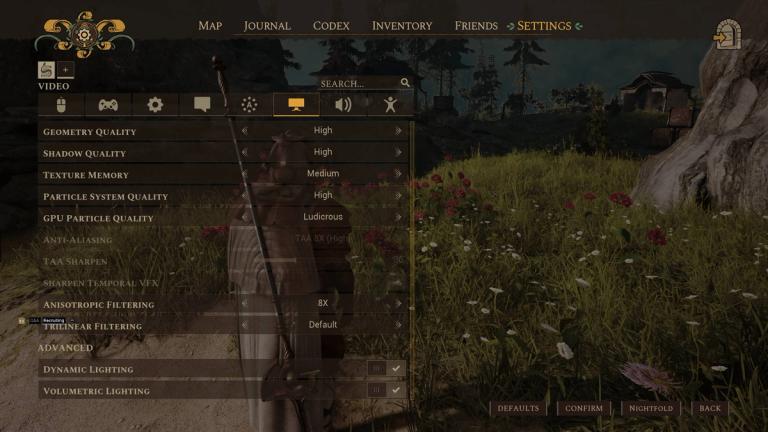
You can crank most settings up to the maximum, but be careful with Texture Memory. Medium was the sweet spot for us with 10GB of VRAM available. This should be fine for 8GB too, but users with 12 or more can easily go above this setting for less texture pop-in. Apart from this, crank everything to the maximum until you reach the toggled options.
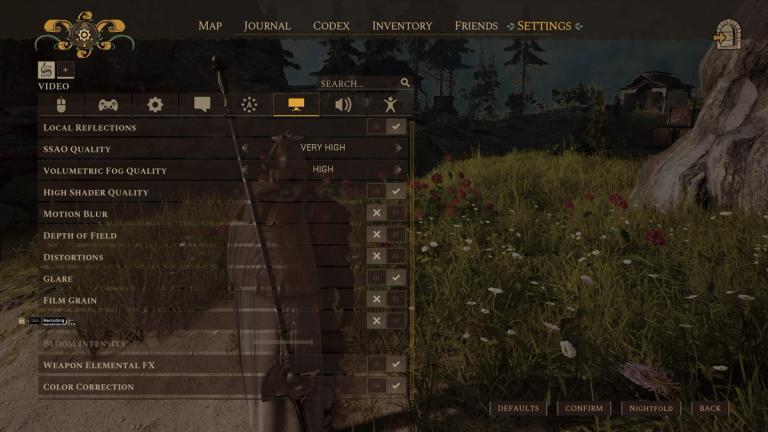
This is where we will tweak a few things to help with performance and visual clarity, which are two crucial considerations in our Soulframe optimized settings. SSAO and Volumetric Fog settings can be kept at High or Very High, and all toggled settings can be turned on with the exception of the following Post-Process Effects:
- Motion Blur
- Depth Of Field
- Distortions
- Film Grain
- Bloom
All of the aforementioned settings have impact in Soulframe's performance, and they tend to make the game considerably blurrier.
We opted for keeping Glare turned on as it is a minor eye-candy effect that is only noticeable when staring at or close to the Sun, but you can turn it off too if you prefer.
Weapon Elemental FX also helps in gameplay because it will change the color of your weapon effects based on what kind of elemental damage you're dealing.
These tweaks got us between 10 to 20 extra FPS, anywhere between 10 to 15% performance improvement.
With all our optimized settings applied, we got Soulframe to an average of 150 to 160FPS in open world exploration, and 130 to 140 in combat. We also want to recommend installing the game on the fastest SSD you own as travelling to and from the main hub will be nearly instantaneous on fast storage.
Upgrade your gaming setup
If you’re looking to upgrade your gaming setup, here are some of our top gear picks that combine performance, reliability, and great value:
- Monitor: Asus
- Keyboard: SteelSeries
- Mouse: Logitech