Brawl Stars: How to get Angels vs Demons profile icon for free
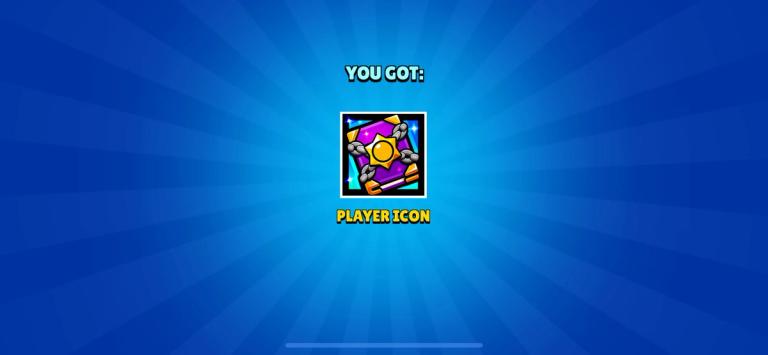
Brawl Stars has just released their new Brawl Talk, and like every time we get a new profile icon for free. Since the new season is based on the Angels vs Demons theme, it was presumptuous to say that the profile icon will be based on that.
Not sure if it is based on that, but the new profile icon has a purple and yellow book (kind of gives a vibe of a magic book) with a Starr Drop chained on top of it.
This article will provide you a comprehensive guide on how you can claim the new profile icon in Brawl Stars.
How to get Angels vs Demons profile icon in Brawl Stars for free
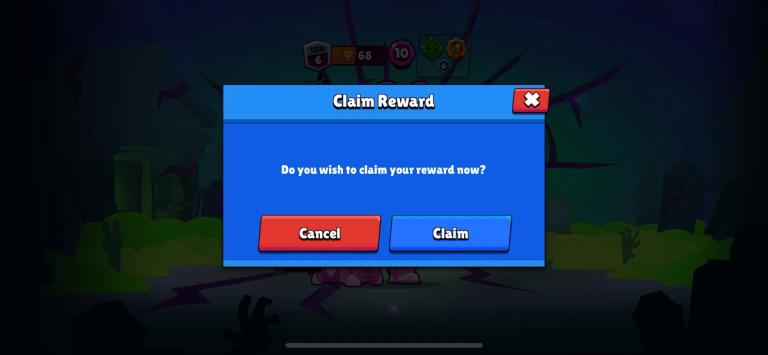
Claiming the Angels vs Demons profile icon in Brawl Starws is very simple. Just follow these steps:
- Step 1: First, you have to make sure you have logged in to your Brawl Stars account. Even if you claim it mistakenly in your other account, you can still claim it in your main account.
- Step 2: Click on this link to get to the official redemption page of Brawl Stars.
- Step 3: Now click on the “Claim Reward’ button.
- Step 4: Once you click it, it will open the Brawl Stars game.
- Step 5: Once the game is opened, a “Claim Reward” window will pop up.
- Step 6: Just simply click on the “Claim” button to get the profile icon for free.
For your convenience, here are the steps to put the Angels vs Demons profile icon in your profile:
- Step 1: Open Brawl Stars and head to your profile located on the top left corner of the screen.
- Step 2: Once you open the profile, you can see your profile icon beside your in-game name.
- Step 3: Click on the profile icon and scroll down until you find the Angels vs Demons profile icon.
- Step 4: Once you find the icon, just click on it to change your profile icon.
Generally, these voucher links have a close deadline, so if the link doesn’t work, it is usually because the link is expired.