Restart round via console in CS2 - Find the command - BLAST
Like many games, CS2 is not perfect (yet!), which means issues can arise in the middle of a round, so you might want to restart it.
We have a guide ready for you to do exactly that without external tools.
Like we said noone’s perfect, and CS2 is no exception, if the game shuts down in the middle of a round while you play on a private server with your friends it can be quite frustrating.
Even more so in pro-matches like, for example, at BLAST events.
Luckily, the developers have finally thought of this and implemented an easy method to back up and restore a past round, so if someone disconnects in a competitive match or something else happens, you can go back in time and ensure an even playing field.
Setting Up CS2 Modes
Before we talk more about how actually to reset a round, we should tell newer players why someone might want to do that and also in which circumstances it makes sense to reset a round; then we will get into the nitty gritty stuff about all the console commands needed to make it work.
First, we have many different modes in Counter-Strike 2 (CS2), sadly not as many as in CS:GO, but we are getting there.
Restarting a round is most viable in training scenarios or competitive matches, so you might not want to restart a Deathmatch game (especially as there are no rounds). Keep that in mind when using the commands.
Private Match Setup
How do you set up a private match to train your jump throws with your friends or play against each other in a 5v5 scenario? To set up a Private Match in CS2, the host needs to execute specific commands that tailor the game to the desired settings. Initially, one must create a private server. This can be done by choosing 'Play With Friends' from the main menu, where the host can invite participants. You can also rent stand-alone servers that are fully customizable, but we will stick to the in-game experience for now.
Once the server is running, you can utilize console commands to configure the match. For instance, to switch to a Free-for-All (FFA) mode, which is not a default option, one can enter the following command into the console:
- cs 2 ffa command
Additional private match commands may include setting the maximum number of rounds, round time or enabling/disabling certain in-game features. But those are topics for another day.
Training Mode Activation
Training Mode is another option to make plans with your teammates and structure your rounds.
Go to “Practice” in the “Play” menu and select “casual” and the map you want to play, before entering the game we recommend activating the “grenade camera” this can be done on the top left corner.
To make it a real training environment, you need a series of console commands; however, it’s excellent for players who want to practice without the constraints of a typical match, such as the pressure of the ticking clock or opponents getting in the way.
To make Training Mode even better, the player might use commands like:
- bot_kick; sv_cheats 1; sv_infinite_ammo 1; god;
This sequence of commands removes all the bots, sets a prolonged round time (example: 60 minutes), enables cheat commands, grants infinite ammo, and toggles invincibility (God Mode).
Now, you can start practising with your friends, and if you want to restart a round to check timings faster without having to wait all the time, you can use the restart command, which we will explain in the next paragraph.
If you don't want to have rounds altogether, you can use mp_roundtime_defuse 60 to make one round last 60 minutes; this might be handy to train grenades, for example. Some commands might change in CS2, but the concept remains consistent.
Now, you can practice various in-game mechanics such as aiming, grenade throws or navigating the map uninterruptedly.
When is it relevant to be able to restart a round?
Let’s get into the essential stuff about how to restart a round. If you have ever watched a pro match or even played your own Matchmaking games, you have certainly experienced technical issues, disconnects or other problems that require a timeout to fix.
But what if a timeout isn’t enough? In Matchmaking, the team with the issue is simply in a bad spot, but that would be horrible in a professional competitive setting, so the need to restore a round has arisen, and Valve has given us the means to do that through the console.
How to use a command to restart a round
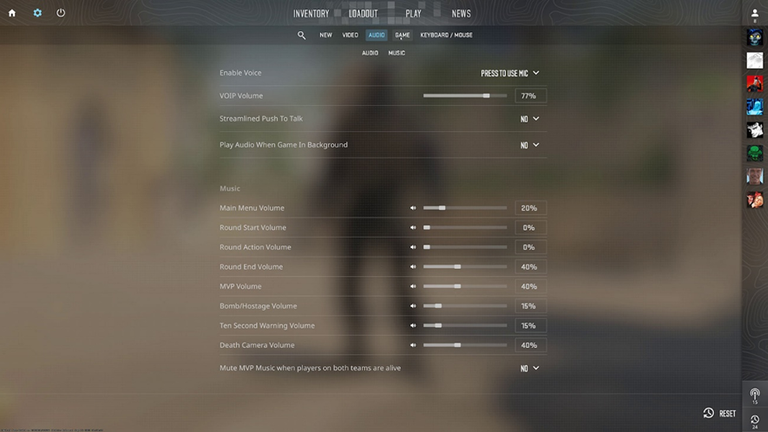
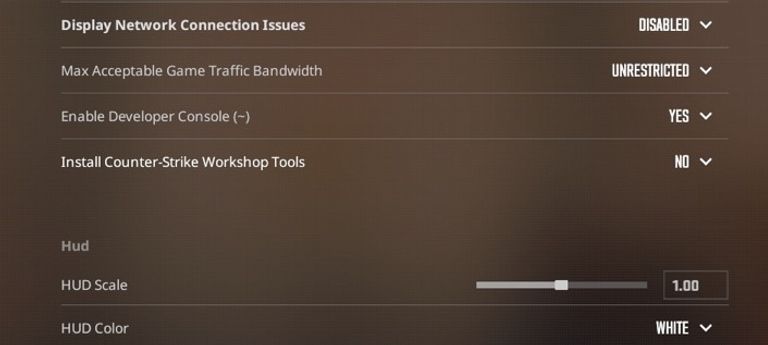
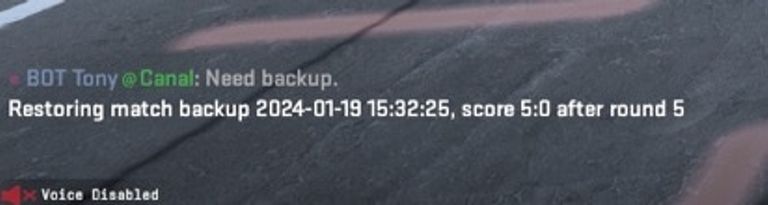
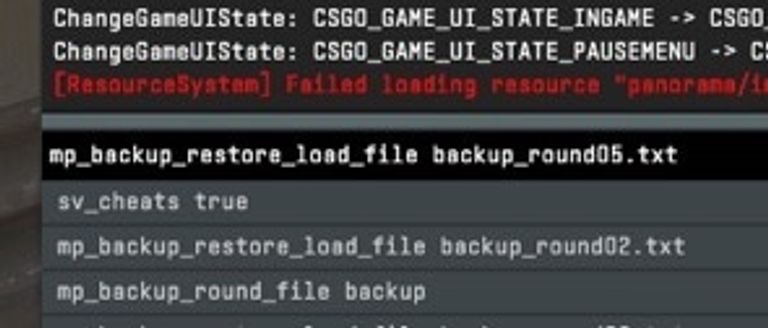
To use commands in CS2, the console must be enabled. You can do this through the settings, look for “enable developer console”, and also make sure to check which key is bound to opening the console. Once the console is active, you can backup a round by using the first command and load the backup by using the second command:
- mp_backup_round_file_last: To print the last round's backup.
- mp_backup_restore_load_file [filename.txt]: To load a specific round's backup.
But those commands only work if you are the host of the private match or if you are the server admin! Also make sure to not mess with your opponent or teammates, restarting a round should only be done if serious issues occured and not just because you missed an important smoke at the start of the round! If you want to skip typing the backup command all the time, you can bind it to a key like this:
- Open the console
- Type “bind ‘key1’ mp_backup_round_file_last” where ‘key1’ is the keyboard key you want to assign to the command, if you press it, the game will backup the round.
Start benefitting from restart_round now
Now that you know everything about how to restart a round in Counter-Strike 2, you can start your games a little more relaxed and also have a good time in training. Start practising your force-buy strategies and timings to get even better at the game.